Implementing a Flexible Design Process
for SaaS White-label Solutions
→ Context
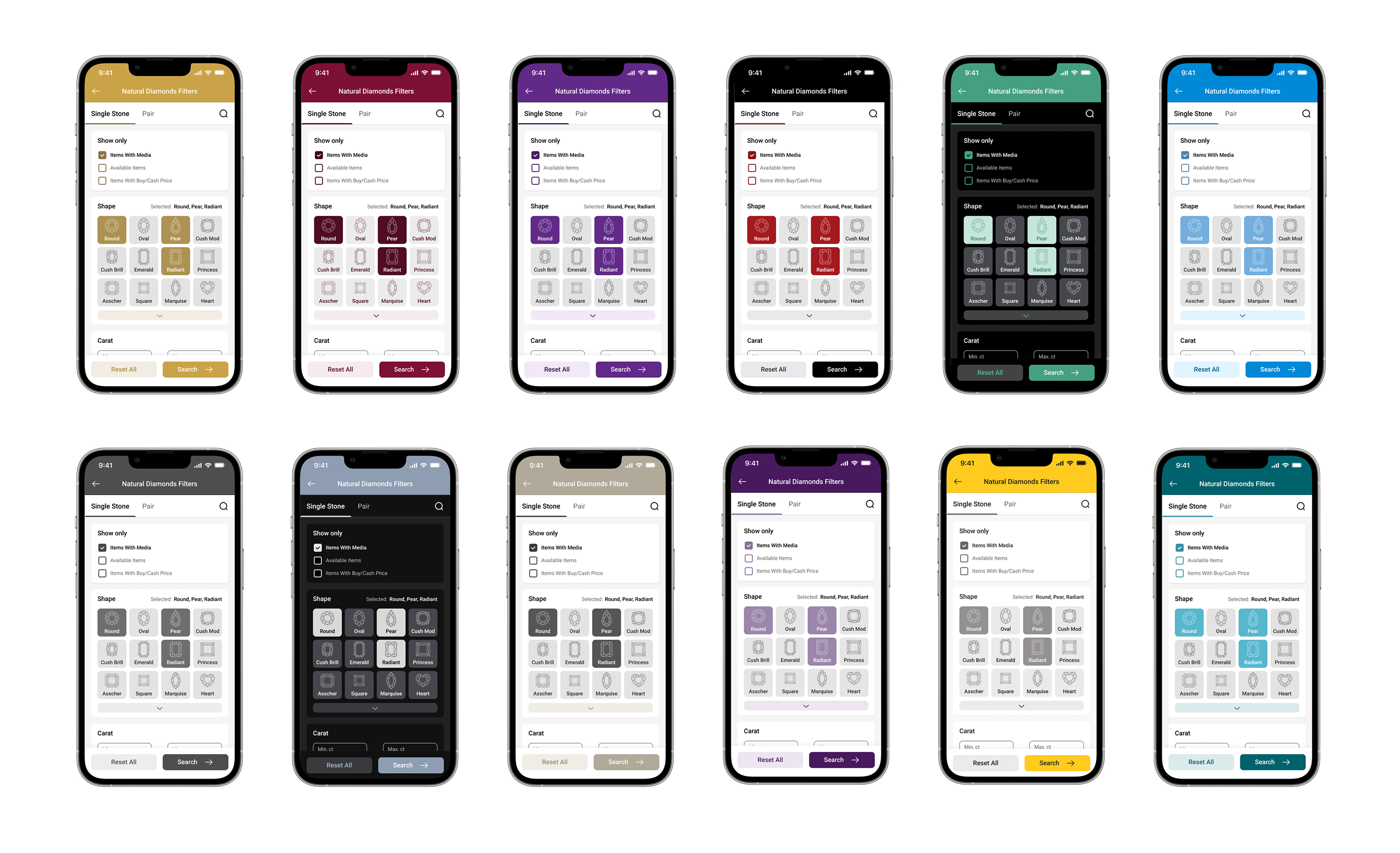
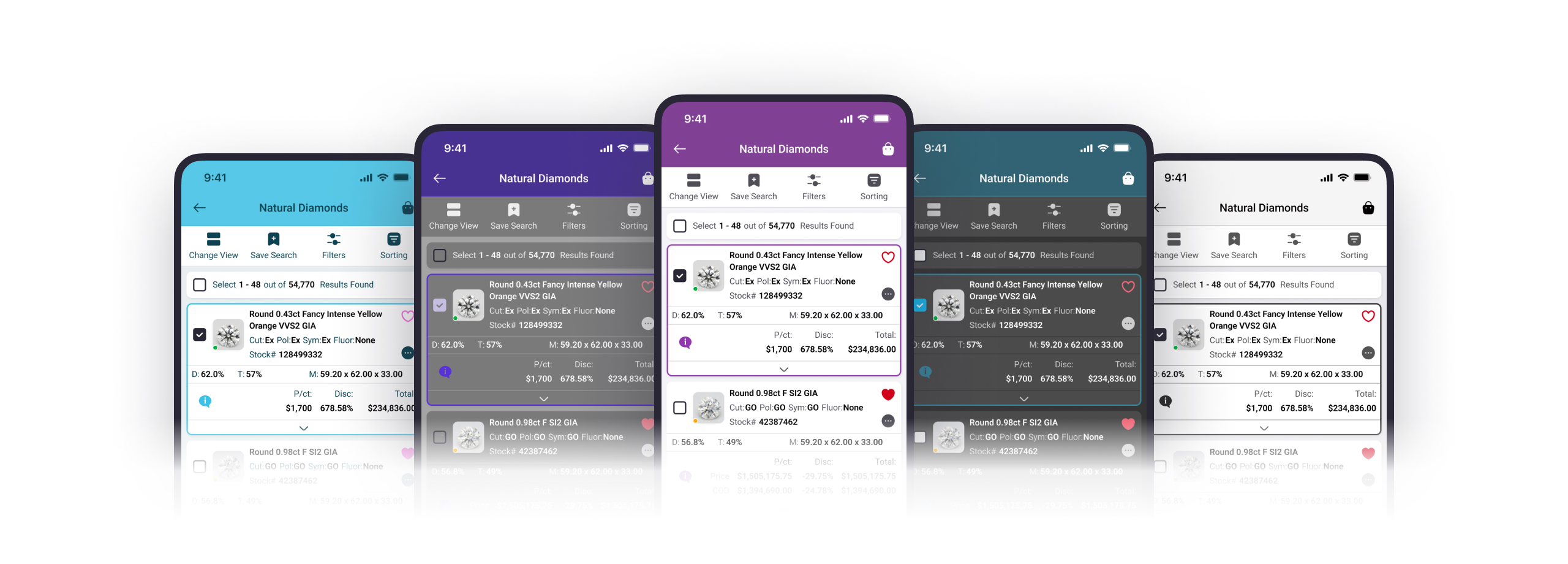
For VDB Technology, I took a leading role in upgrading and implementing a new white-label design process. I evaluated the current process, identified problems, and found opportunities for improvement. The result was a new white-label process, which I tested, verified, and implemented for use by the design team.
The VDB Technology provides a variety of tools for diamond and jewelry retailers and wholesalers one of which is white-label solutions. Essentially, VDB allows its clients to rebrand custom apps (web and mobile) and make them appear as if they had created them. Bringing the user interface in line with the customer's brand is a key task for both the design team and the implementation team.
→ How it all worked (before)
The old white-label design process relied on a Sketch + Abstract bundle. In the Sketch design system, each color style had a reference to a color key. To create a new color scheme for the custom app, a designer had to make a new branch of the design template in Abstract (the copy of a Sketch file in which it was possible to make changes that did not affect the main file). Upon approval of app color scheme by the client, designer had to manually transfer all the color keys HEX codes into Google spread sheet and pass that sheet to the implementation team.
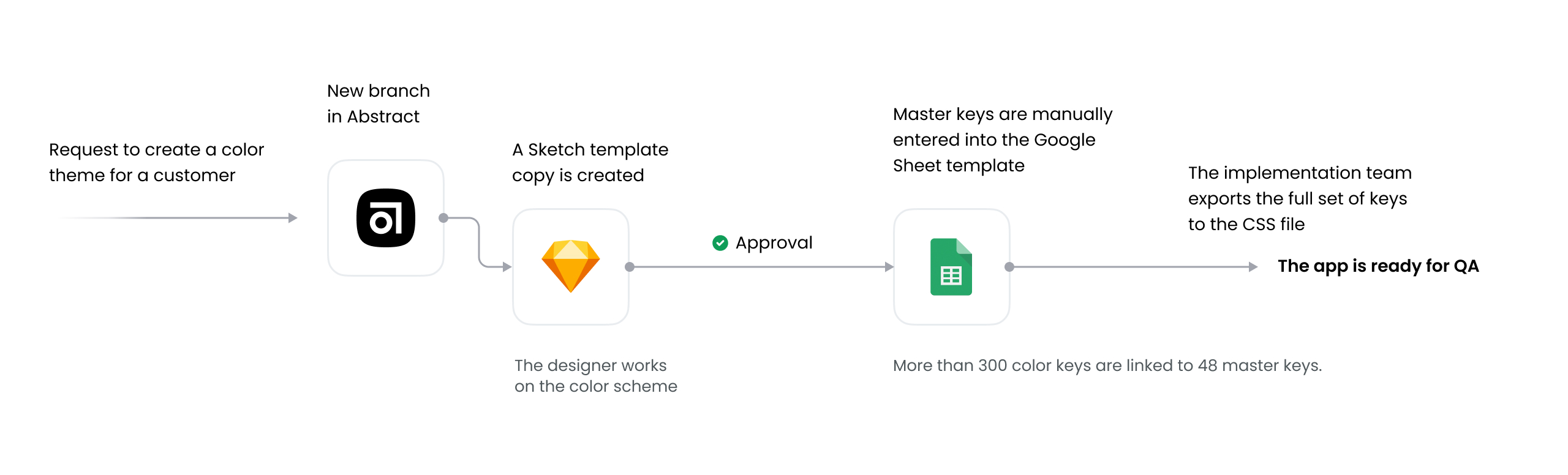
The old workflow
From 2023-2024, the VDB tech team was transitioning to React, and simultaneously the design team was transitioning from Sketch + Abstract to Figma. The need to build a new optimized white-label design process was parallel to these time-consuming and complex processes.
→ Analysis
I started by analyzing the existing process and identified the main pain points. According to various estimates, problems related to incorrect implementation of color keys accounted for approximately 30-35% of the total number of bug tickets in Jira. All the problems could be divided into three categories:
- The color keys system logic flaws
- Problems with the infrastructure on which the process was based
- Communication gaps
1. The color keys system logic flaws
Initially, color keys were specific to components and their states. This caused problems creating new design system components, as it required the creation of new color keys. This approach led to an increase in the number of color keys to more than 300 for each platform, since due to UI inconsistencies, the color key sets partially differed for mobile and web. The system was overloaded with redundant color keys.
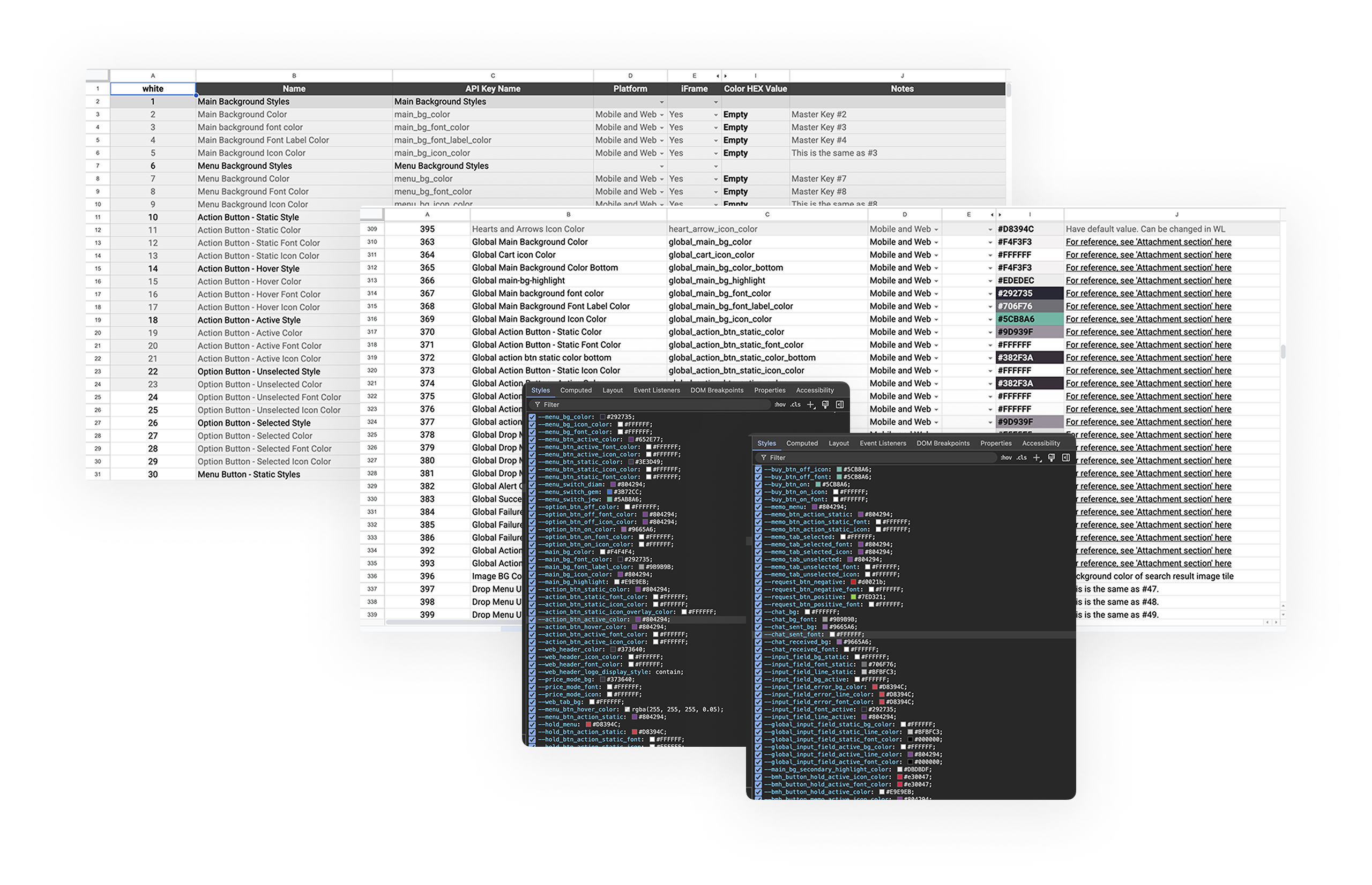
screenshots of google sheets and css with old color keys
2. The White-label process infrastructure
Thanks to the simultaneous transition to Figma, there was a great opportunity to simplify the workflow and get rid of unnecessary tools (Abstract and Google Sheets).
The process also lacked automation because the designers had to manually enter the HEX values of the main keys into Google Sheets. The implementation team also had to manually transfer these values to CSS tables. There was a huge potential for improvement in terms of automation.
3. Communication gaps
Due to the large number of color keys and inconsistencies in their names between different platforms, communication problems constantly arose. It was difficult for designers and developers to quickly identify the need to use a particular key in each specific case. And often different keys were used for the same component on different platforms.
→ Challenges
One of the many challenges was the need to consider all the existing custom applications (more than a hundred). That meant we had to ensure that the new logic would be compatible with all the previously created apps. In practice, this meant that I had to create a system that would allow to easily transfer and align old color keys with new color tokens.
→ Research, Consultations & Solutions
I went through multiple rounds of discussions with the business team to understand the full scope of the requirements that we needed to support for the custom clients. The main objectives were to simplify and optimize the process and eliminate all existing flaws.
I conducted a thorough analysis in search of a suitable solution and made sure that the standard Figma features was not suitable for us. The final solution was to use one of the plugins that supports a complex token structure. I have tested several plugins and made a preliminary decision to use Tokens Studio.
This plugin not only met general requirements, but also allowed us to improve the process by expanding customization options and enabling the export of all tokens to a JSON file.
At each stage of my research, I consulted with a designer from my team who was responsible for this process before. She had a lot of experience working on color schemes for clients and was thoroughly familiar with every possible nuance. She helped me ensure that the new structure would support the previous logic, and together we created a connectivity scheme for the old color keys.
I also consulted with the tech leads of the development team and received approval for the solution I found: exporting a JSON file containing all styles and tokens.
Consultations with colleagues helped me decide on a solution: Tokens Studio plugin. I ran several tests before presenting the solution to the business team, and received their approval to continue working on it.
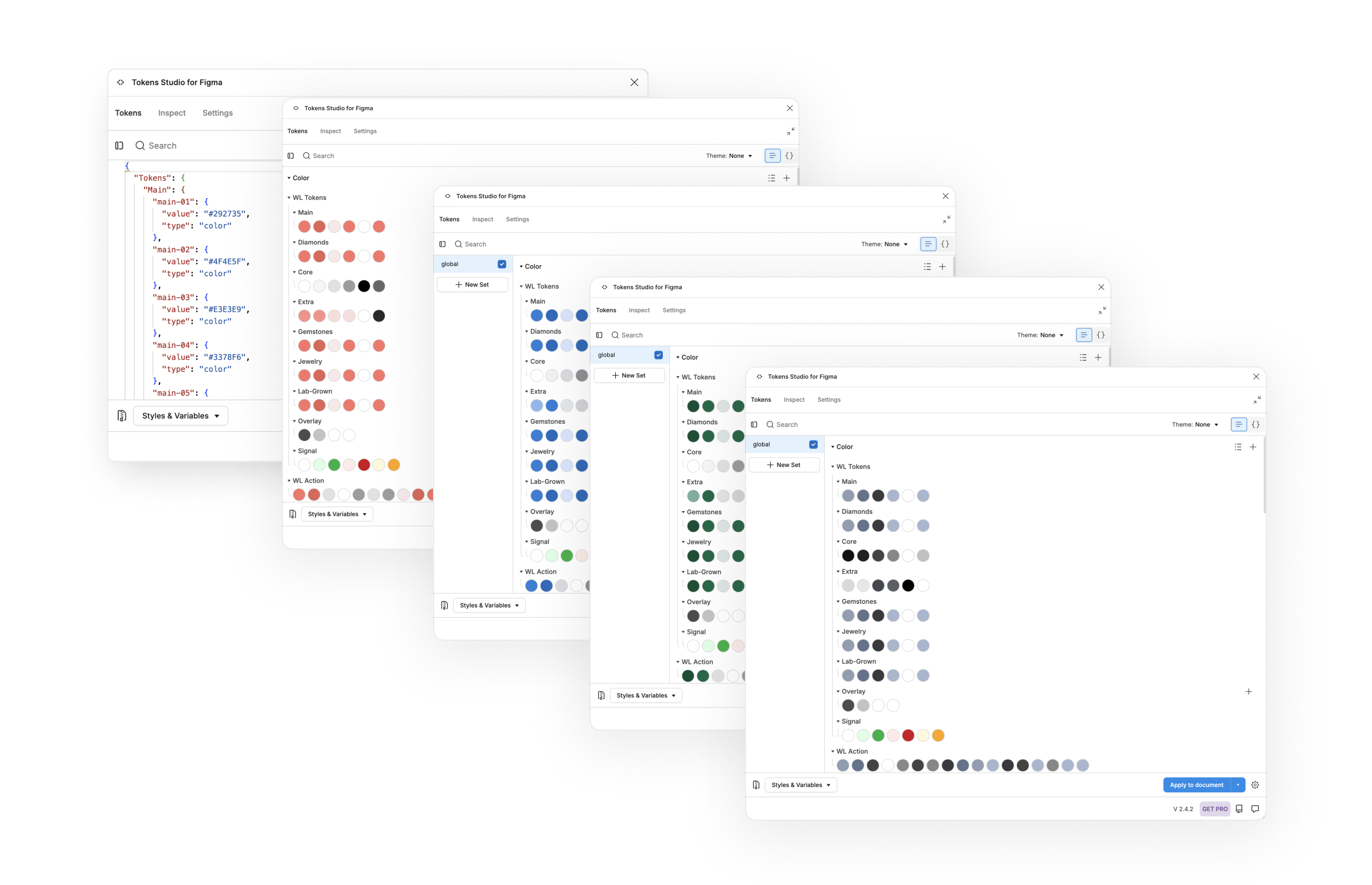
plugin testing: different sets of color tokens
I synchronized all styles and color tokens used in our design system with the plugin. I optimized the structure using aliaces when possible: thus, the secondary tokens referred to the main tokens.
The chosen solution allowed me to significantly simplify the process and made it possible to increase the number of parameters for customization. It also allowed us to partially automate the process, since the file was exported directly through the plugin.
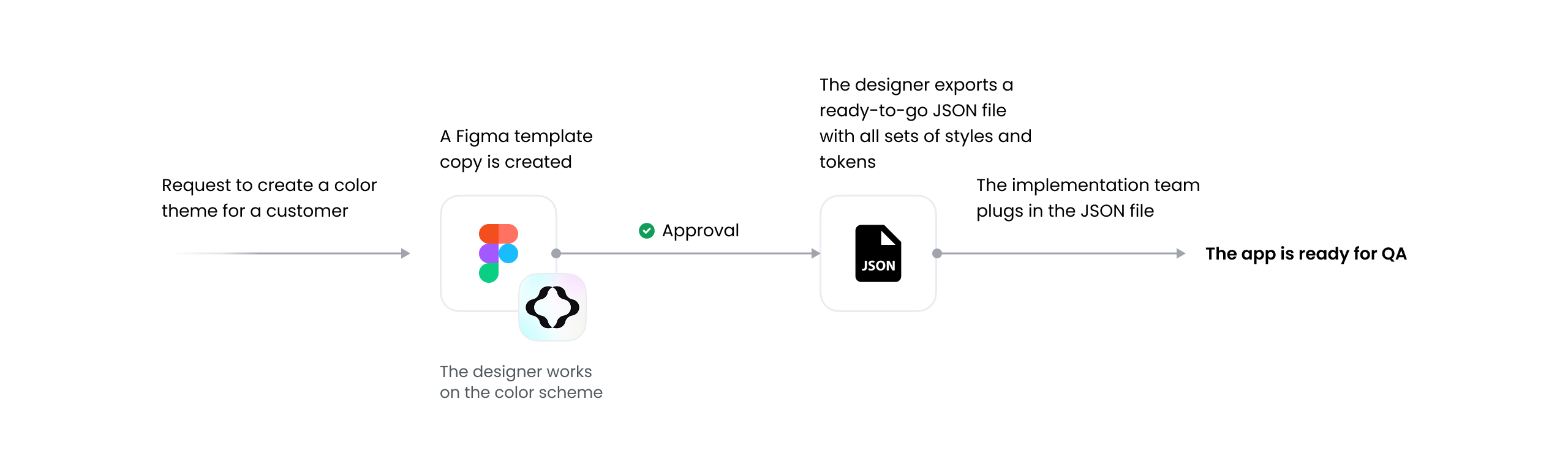
The new workflow
→ Results
The end result of my work was an optimized white label design process. I managed not only to modernize the previous process, but also to completely revamp it, introduce new practices, and open up new business opportunities. The new workflow was tested, verified, and successfully implemented for use by the design team.
Benefits and key takeaways
- Cost reduction and simplified workflow: abandoning the Sketch + Abstract bundle and using only one primary design tool (Figma)
- Simplified and partially automated implementation process. Use of a JSON file with all styles and design tokens that can be easily plugged in.
- A common language for design tokens shared across different teams
- A documented standard operating procedure (SOP) for the design team
- More customization options for customers and new opportunities to increase their brand awareness
- Added Value for the business: the possibility of introducing additional paid features: support for various fonts, custom icons, shadow styles, etc.
According to feedback from members of the design and implementation team who used the old process, the new workflow seemed simpler to them and accelerated their work by 30-40%. Also, in the first months after testing, we noticed a decrease in the number of Jira bug tickets related to color issues.